
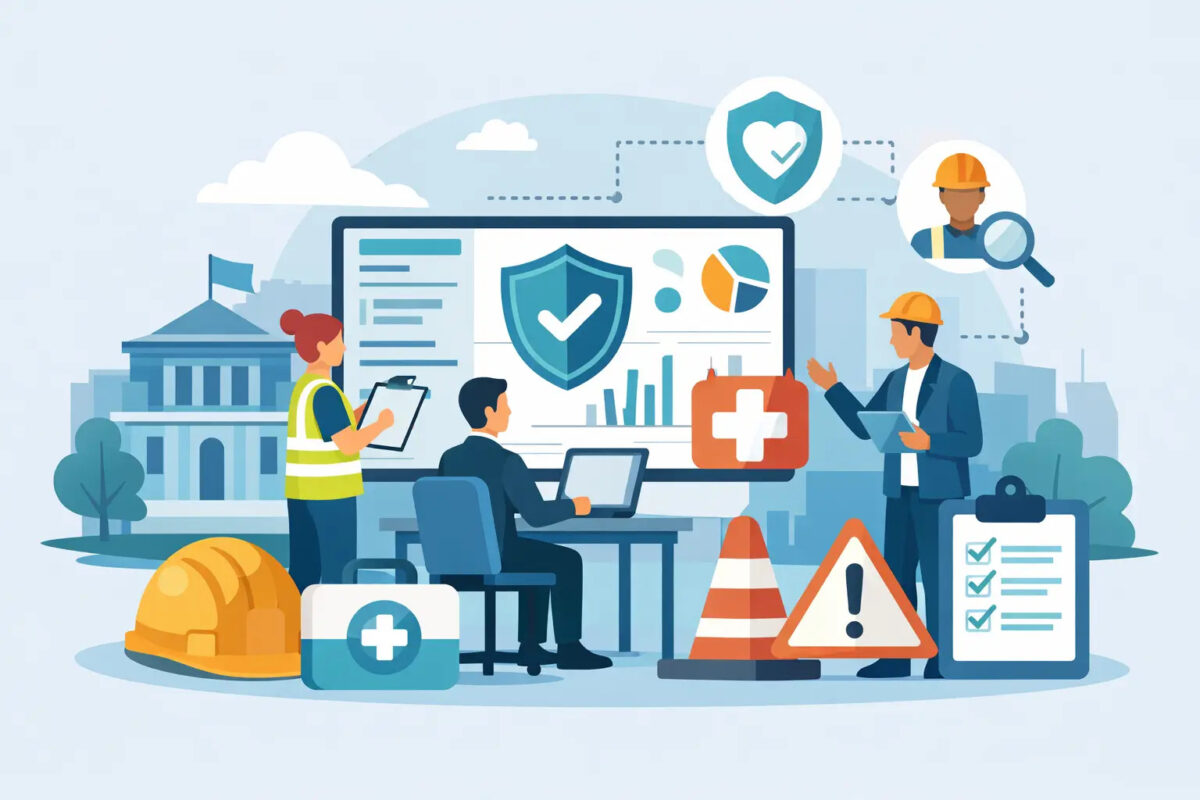

A pothole reported by a street-cleansing operative, a damaged fire door found in a leisure centre and a near miss at a depot may all need different responses. Yet each is part of the same wider responsibility: ensuring the council can spot risk early, assign action and show what happened afterwards. Council health and safety software gives teams a practical way to manage that responsibility without relying on paper forms, shared inboxes and spreadsheet chases.
For local authorities, the challenge is not simply recording incidents. It is maintaining control across estates, highways, waste, housing, parks, schools, transport, contractors and public-facing venues, often with teams working away from a desk. The right system needs to make reporting easier for the person on site while giving managers the evidence and oversight needed to reduce risk and legal exposure.
Why council reporting processes often break down
Many councils have established safety policies and capable people, but the process between identifying an issue and closing it out can still be fragmented. A fault may be written in a site book, an incident form may wait until the end of a shift, or an inspection result may sit in an individual’s email. By the time the information reaches the right manager, the condition may have changed or the opportunity to prevent a repeat event may have passed.
This creates a familiar set of problems. Reports arrive late and with missing detail. Different services use different forms and terminology. Corrective actions are difficult to track across departments. Senior teams can see totals, but not always the location, recurring cause or overdue action behind them. When an insurer, regulator, auditor or legal team asks for evidence, pulling together a defensible record becomes unnecessarily time-consuming.
The risk is not confined to major incidents. Small unresolved faults, repeated near misses and incomplete inspections are often the early warning signs that organisations need to see. A system that captures this activity consistently can turn routine operational reporting into meaningful assurance.
What council health and safety software should do
Effective council health and safety software should fit the reality of dispersed, frontline-led operations. That means simple mobile tools for people carrying out inspections, responding to issues or managing public spaces, alongside clear workflows for those responsible for investigation, action and assurance.
Make reporting quick enough to use on site
If reporting takes too long, requires a shared computer or asks staff to navigate a complicated form, information will be delayed or lost. Mobile reporting should allow users to log a hazard, fault, near miss or incident at the point it is found. Photographs, location details, categories and immediate controls can be captured while the facts are clear.
Offline capability matters in basements, rural locations, large estates and areas with poor signal. Staff should be able to complete a report without changing how they work, then synchronise it when they reconnect. This is not a convenience feature. It is often the difference between a system that is used consistently and one that becomes another administrative task.
Route ownership and actions clearly
Logging an issue is only the first step. The system should automatically direct reports to the appropriate team or responsible person, based on service area, location, severity or issue type. A damaged playground gate may need a different route from an employee accident or an asbestos concern.
Each action needs an owner, due date and visible status. Escalations for overdue tasks help managers intervene before an issue becomes a compliance gap. Just as importantly, the person who raised the report should be able to see that it has been acknowledged and resolved. That feedback builds confidence in the process and encourages further reporting.
Standardise evidence without forcing every service into one mould
Councils need consistency, but their services are not identical. A housing inspection, a vehicle defect check and a corporate office audit require different questions, risks and approvals. Configurable forms, checklists and workflows allow a common reporting standard while keeping each process relevant to the people using it.
This is where off-the-shelf software can be a better fit than a fully bespoke build. A configurable platform can reflect local processes, terminology and escalation routes without the cost, delay and ongoing dependency that often come with developing a system from scratch. The detail should be adaptable, while the core controls – timestamps, user records, audit trails and action histories – remain dependable.
From records to operational visibility
A well-managed safety record should do more than prove that a form was completed. It should help managers understand where risk is building and whether agreed controls are working.
Dashboards can show incident trends by service, site, category or severity. They can identify recurring defects, overdue corrective actions, missed inspections and locations generating repeated reports. For example, a pattern of slips near a particular entrance may point to drainage, cleaning schedules, lighting or seasonal conditions. Without joined-up data, each incident can appear isolated. With it, managers can investigate the common cause and target investment more effectively.
The value of this visibility depends on data quality. That is why ease of use at the frontline matters so much. A dashboard based on incomplete reports gives false reassurance. Clear fields, sensible categories and straightforward mobile capture improve the quality of the information entering the system in the first place.
Supporting legal defensibility and assurance
Local authorities operate under close scrutiny. After a serious incident, the question is rarely limited to what happened on the day. Investigators may examine whether risks were identified earlier, whether inspections were completed, who was told, what action was taken and whether follow-up checks confirmed the issue was resolved.
A central system provides a chronological record of those decisions and actions. It can show the original report, supporting images, assessment details, assigned responsibilities, communications, completion dates and any evidence of closure. This reduces the effort involved in responding to information requests and makes it easier to demonstrate proportionate, consistent management of risk.
However, software does not remove the need for sound judgement. An automatic escalation cannot decide whether a public area must be closed, and a completed checklist is not proof that a control is effective. The system provides discipline, visibility and evidence. Competent managers and trained staff still need to assess the situation and act appropriately.
Choosing a platform for real council operations
Procurement decisions should start with the operational problem, not a feature checklist. Consider who will report issues, where they work, what devices they use and how often they have limited connectivity. Ask how incidents move between services, how contractors will be involved and what evidence managers need for audits, claims and committee reporting.
It is also worth testing the reporting journey with real users. Can a parks operative log a defect in seconds? Can a building manager complete an inspection without re-entering the same information? Can a health and safety lead see overdue actions across the whole estate, then drill into a specific site? A demonstration is useful, but a realistic pilot exposes whether the process works under everyday pressure.
Look for a supplier that can configure forms and workflows around the authority’s established controls, rather than asking teams to redesign everything to suit the software. Unlimited licences can also remove a common barrier to adoption, allowing occasional reporters, contractors and local managers to be included without turning each additional user into a budget decision.
A-N-T supports this approach with mobile-first reporting, configurable workflows and direct UK support for complex, multi-site operations. The aim is not to add another system for staff to learn. It is to make routine reporting and follow-up simpler, more consistent and easier to evidence.
A better reporting culture starts with follow-through
The most useful safety system is one that staff trust. When people can report a concern quickly, see that it reaches the right person and receive confirmation that something has happened, reporting becomes part of normal operational practice rather than a last resort after an incident.
For councils, that creates a practical advantage: more timely information, fewer lost actions and a clearer picture of where attention is needed. Start with the processes that currently rely on paper, inboxes or local spreadsheets, then make it easier for teams to report, respond and learn while the issue is still manageable.